How to Build a RAG Application on Azure AI Search and Microsoft Foundry (AI-103 Hands-On Guide, 2026)
A hands-on 2026 AI-103 tutorial for building a retrieval-augmented generation (RAG) pipeline on Azure AI Search and Microsoft Foundry. Index and chunk your data, run vector, hybrid and semantic search, ground a Foundry model, then evaluate, all mapped to the exam skills outline.
Examinotion Team
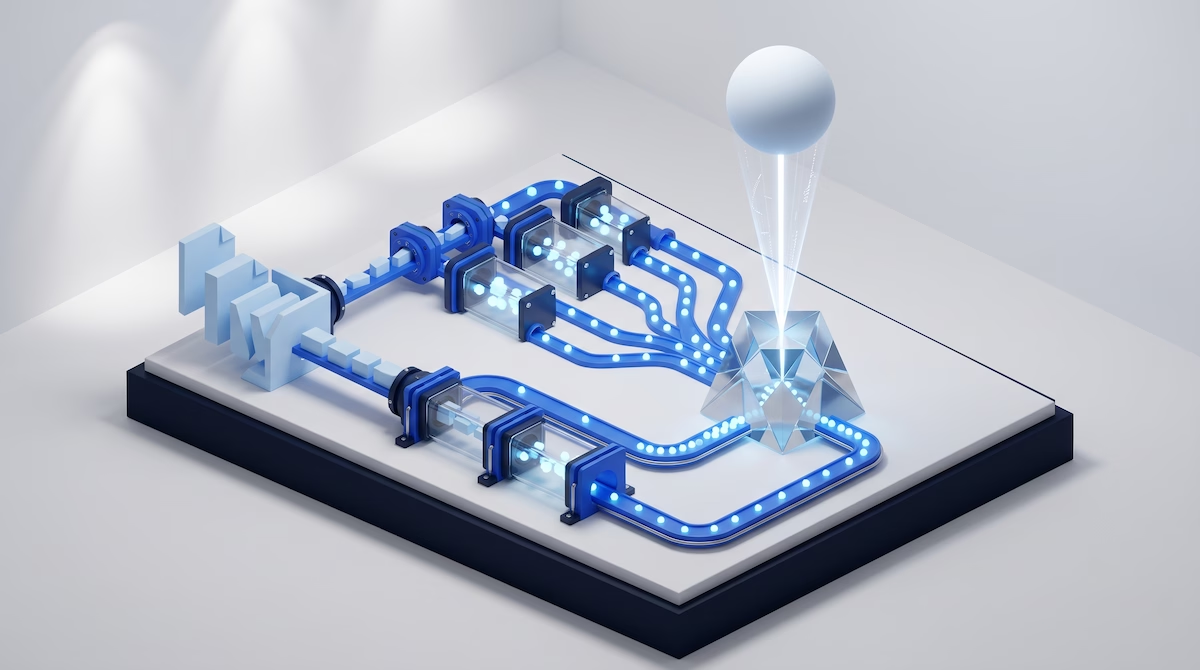
How to Build a RAG Application on Azure AI Search and Microsoft Foundry (AI-103 Hands-On Guide, 2026)
Last updated: July 2026. Written by the Examinotion Team and fact-checked against Microsoft Learn's Azure AI Search and Microsoft Foundry documentation and the official AI-103 skills outline.
TL;DR Retrieval-augmented generation (RAG) grounds a language model in your own data. To build it for AI-103, you index content in Azure AI Search, embed it with integrated vectorisation, retrieve with hybrid and semantic search, then ground a Microsoft Foundry model. Classic RAG is fully generally available and the exam-safe pattern to learn first.
Retrieval-augmented generation is the single most heavily weighted practical skill on AI-103: Developing AI Apps and Agents on Azure, Microsoft's Associate-level certification for the Azure AI Apps and Agents Developer role. The skills outline names RAG, vector search, hybrid search and grounding pipelines as measured skills, so you cannot pass on theory alone. This guide walks the full pipeline end to end, using the current product names and the current generally available (GA) features, so nothing you learn here is already out of date.
If you are still deciding whether to sit the exam, start with our AI-103 exam overview and the AI-103 practice tests. This tutorial assumes you have decided to prepare seriously and want to understand how retrieval actually works.
What RAG is and why AI-103 tests it
Retrieval-augmented generation (RAG) is a pattern that feeds a large language model relevant content retrieved from your own data at query time, so its answers are grounded in facts you control rather than only its training data. Microsoft Foundry's documentation describes the flow in three steps: Retrieve relevant content, Augment the user's question with that content, then Generate a response grounded in it, "reducing inaccuracies and enabling accurate citations" [1].
AI-103 tests RAG because grounding is now the default way enterprises deploy generative AI on Azure. The exam is the successor to AI-102, which retired on 30 June 2026, and it targets developers building apps and agents rather than administrators [2]. The current skills outline, published as "Skills measured as of April 16, 2026", places RAG inside two of the five domains: "Implement generative AI and agentic solutions" (30 to 35 percent) and "Implement information extraction solutions" (10 to 15 percent) [3].
The most directly relevant objective sits under "Build retrieval and grounding pipelines", where Microsoft lists these measured tasks verbatim: "Configure semantic search, hybrid search, and vector search for grounding" and "Configure RAG ingestion flow, including documents and using optical character recognition (OCR)" [3]. Read those two bullet points as the exact shape of this tutorial: build an index, embed and chunk content, run the three retrieval modes, then ground a model.
Because AI-103 is an Associate role-based exam, you also get in-exam access to Microsoft Learn. Microsoft's policy states, "You can access Microsoft Learn as you complete your associate or expert exam", though the timer keeps running and no extra time is added [4]. That open-book access rewards candidates who understand where retrieval settings live in the docs, which is another reason to practise the real workflow rather than memorise it.
The RAG pipeline on Azure AI Search: a five-stage overview
The RAG pipeline on Azure AI Search has five stages that map neatly onto Microsoft Foundry's own documented workflow: prepare data, set up an index, connect to Foundry, build the retrieval-augmented application, then test and evaluate [1]. The table below is the mental model to carry into the exam and into any real build.
| Stage | What you do | Azure component |
|---|---|---|
| 1. Prepare and chunk | Split source documents into passages that fit the embedding model's token limit | Text Split skill (integrated) or your own code |
| 2. Index and embed | Create an index with vector and text fields, then generate embeddings | Azure AI Search index, integrated vectorisation |
| 3. Retrieve | Run keyword, vector, hybrid or hybrid-plus-semantic queries | Azure AI Search query pipeline |
| 4. Ground | Connect the index to a Foundry project and augment the prompt | Microsoft Foundry project connection |
| 5. Evaluate | Score groundedness, relevance and retrieval quality | Microsoft Foundry evaluators |
Two product names anchor everything in this pipeline, and getting them right signals current knowledge on the exam. The retrieval engine is Azure AI Search, formerly Azure Cognitive Search and, before that, Azure Search; the current name is Azure AI Search, even though some legacy documentation URLs still contain the string cognitive-search [5]. The model and orchestration platform is Microsoft Foundry, renamed from Azure AI Foundry (which was itself renamed from Azure AI Studio); its documentation now lives under the /azure/foundry/ path [6].
Step 1: Prepare and chunk your content
Chunking splits large documents into smaller passages so that each fits inside the embedding model's input limit and returns focused, relevant results. Azure OpenAI's text-embedding-3-small model, for example, accepts a maximum of 8,191 tokens per request, so a long PDF must be divided before it can be embedded [7]. Chunking also improves retrieval precision, because a tightly scoped passage is more likely to match a user's specific question than an entire document.
Microsoft's chunking guidance gives a concrete starting point you should be able to recall. The documentation states, "We recommend starting with a chunk size of 512 tokens (approximately 2,000 characters) and an initial overlap of 25%, which equals 128 tokens" [7]. Overlap carries context across chunk boundaries so a sentence split in two still makes sense in both halves. Highly structured data can use less overlap; narrative or conversational text benefits from more.
You have two ways to chunk in practice. The built-in Text Split skill, which is generally available, chunks content automatically inside the indexer pipeline; in the Azure portal wizard its default pages mode uses a maximumPageLength of 2,000 characters with a pageOverlapLength of 500 characters [7]. Alternatively, you can chunk in your own code before pushing content to the index, which gives you full control over sentence-aware or semantic splitting. For the exam, know that "Integrated data chunking through Text Split skill is generally available" and that chunking itself is free [7].
Step 2: Create the index and embed with integrated vectorisation
An Azure AI Search index for RAG combines vector fields that store embeddings with ordinary text fields that hold the passage content and metadata such as title, URL and filename for citations. Vector support is defined per field, so a single index can hold both the numeric embedding and the human-readable text that a grounded model will quote back to the user [8].
Integrated vectorisation is the feature that generates those embeddings inside the indexer pipeline rather than in separate code, and its core capability is generally available. It wires together a chunking skill, an embedding skill and a matching vectoriser: the AzureOpenAIEmbedding skill embeds your chunks at indexing time using a model such as text-embedding-3-small or text-embedding-3-large, and the paired Azure OpenAI vectoriser automatically embeds the user's query text at query time so you never hand-code the query embedding [9]. One carve-out matters for the exam: the Azure Vision multimodal embeddings skill remains in preview, while the text embedding path is GA [9].
The fastest way to see the whole thing work is the Import and vectorize data wizard in the Azure portal. It connects to a data source, samples the content, then handles chunking, embedding and index creation in one pass, which makes it the ideal first build before you drop down to the SDK [9]. Because AI-103 expects Python experience, plan to reproduce the same pipeline in code once the wizard has shown you the shape of the index and skillset.
Choose the similarity metric deliberately, because Microsoft is explicit about the right default. The documentation states, "Cosine is the similarity metric used by Azure OpenAI embedding models, so if you're using Azure OpenAI, specify cosine in the vector configuration" [10]. Use cosine unless you have a specific reason to use dotProduct or euclidean, and expect an exam question that checks you know why.
Step 3: Choose your query type
Azure AI Search offers four query types that escalate in sophistication, and picking the right one is a graded skill on AI-103. Keyword search ranks with the classic BM25 algorithm; vector search finds nearest neighbours in embedding space; hybrid search runs both in parallel and fuses the results; and hybrid-plus-semantic adds a reranking layer on top [8]. The table summarises when each applies.
| Query type | How it ranks | Best for |
|---|---|---|
| Keyword | BM25 lexical scoring | Exact terms, codes, names |
| Vector | k-nearest-neighbour on embeddings | Meaning and paraphrase matching |
| Hybrid | Keyword plus vector, merged with Reciprocal Rank Fusion (RRF) | Maximum recall across both signals |
| Hybrid plus semantic | RRF result reranked by the semantic ranker | Highest relevance for RAG |
Microsoft's relevance guidance for RAG specifically recommends the top row of results. The documentation advises using "hybrid queries that combine keyword (nonvector) and vector search for maximum recall" and adding semantic ranking, noting that "in benchmark testing, this combination consistently produced the most relevant results" [2]. In other words, hybrid retrieval plus the semantic ranker is the accuracy-maximising default for a grounded application.
The semantic ranker is a generally available reranking layer that reorders your top results using Microsoft's language-understanding models. It takes the top 50 results from the initial keyword or hybrid pass and reranks them, returning a @search.rerankerScore between 0.0 and 4.0, along with semantic captions and optional semantic answers [11]. A useful currency correction for the exam: the semantic ranker runs on the Free tier, described by Microsoft as available but "not recommended for large workloads", so do not repeat the common myth that it needs a paid tier [11].
Step 4: Ground a Microsoft Foundry model
Grounding connects your Azure AI Search index to a model deployed in Microsoft Foundry so that retrieved passages become the factual basis for the model's answer. Microsoft Foundry documents this as a project-level connection: "Foundry can connect your project to an Azure AI Search service and index for retrieval", represented as either a project connection or an index asset ID, and it names Azure AI Search as "a recommended index store for RAG scenarios" [1].
Follow Foundry's five documented steps and you have a working RAG application. The workflow is: "Prepare your data", "Set up an index", "Connect to Foundry", "Build your RAG application" by integrating retrieval with your model calls through the Foundry SDK or REST APIs, then "Test and evaluate" retrieval quality and citation accuracy [1]. You can implement the fourth step in two ways: attach retrieval as a tool for a Foundry agent using the file search tool, or build a custom RAG application directly with the SDK for complete control over the retrieve-augment-generate loop [1].
One naming trap is worth flagging because it appears in older material. The pattern once called "Add your own data" in Azure OpenAI Studio does not appear in current Microsoft Foundry documentation; the current framing is simply connecting a Foundry project to an Azure AI Search index or knowledge base [1]. If you see "Add your own data" in a practice question written before the rebrand, recognise it as legacy terminology.
For a reference implementation to study, Microsoft maintains two official samples. The flagship azure-search-openai-demo is described as "a proven solution for RAG workloads" and has been updated to use agentic retrieval, while a newer azure-search-classic-rag sample provides an entirely GA pattern with no preview dependency [2]. Clone the classic sample first, because it matches the exam-safe path described in the next section.
Step 5: Evaluate retrieval and grounding quality
Evaluation is a measured AI-103 skill in its own right, listed as "Evaluate models and apps, including detecting fabrications, relevance, quality, and safety" [3]. Microsoft Foundry provides a set of RAG evaluators that score your pipeline on a 1 to 5 scale with a default pass threshold of 3, and knowing which are generally available protects you from a preview-versus-GA trap on the exam [12].
| Evaluator | Status | What it measures |
|---|---|---|
| Groundedness | GA | Whether the response sticks to the retrieved context without fabricating |
| Relevance | GA | Accuracy and completeness of the response to the query |
| Retrieval | GA | How relevant the retrieved chunks are, judged by an LLM |
| Document Retrieval | GA | Search quality against human-labelled ground truth |
| Groundedness Pro | Preview | Strict consistency check using Azure AI Content Safety |
| Response Completeness | Preview | Recall of expected information versus ground truth |
Use Groundedness, Relevance and Retrieval as your exam-safe, all-GA evaluator trio, and mention Groundedness Pro and Response Completeness only as newer preview additions [12]. Most of these evaluators use an LLM-as-judge pattern, so you point them at a Foundry model deployment through a deployment_name parameter; Document Retrieval is the exception, computing metrics directly against labelled data rather than using a judge model [12].
Classic RAG versus agentic retrieval: which to learn for the exam
Azure AI Search now frames RAG as a choice between two patterns, and understanding the distinction, along with the GA status of each, is likely the highest-value exam insight in this guide. Classic RAG uses hybrid search plus semantic ranking and is fully generally available; agentic retrieval adds an LLM query-planning layer and is only partly GA [2].
Classic RAG is a single query your application sends to Azure AI Search, with your own code orchestrating the model call separately. Microsoft recommends it "when you need generally available (GA) features only", when "simplicity and speed are priorities", or when you "need fine-grained control over the query pipeline" [2]. This is the pattern to master first, because every part of it is GA and therefore squarely inside the exam's core content.
Agentic retrieval is a multi-query pipeline where a model decomposes a complex question into parallel subqueries, reranks each with the semantic ranker, then merges everything into a structured response with citations [13]. Here is the nuance that catches candidates out: agentic retrieval is not simply "GA" or "preview". Microsoft states that "some agentic retrieval features are generally available in the 2026-04-01 REST API via programmatic access", but "the Azure portal and Microsoft Foundry portal continue to provide preview-only access to all agentic retrieval features" [13]. The canonical RAG overview page still labels the approach "Agentic retrieval (preview)" in its comparison table [2].
For the exam, treat this precisely. If you describe code using the 2026-04-01 REST API, you can correctly call that path generally available; if you describe building a knowledge base in the portal, or use answer synthesis and configurable reasoning effort, call those preview features [13]. The study guide notes that most questions "cover features that are general availability (GA)" but that preview features can appear "if those features are commonly used", so expect agentic retrieval to show up despite its preview status [3].
Vector search internals you should understand
Vector search finds the passages whose embeddings are nearest to the query embedding, and AI-103 expects you to know how that nearest-neighbour search is configured. Azure AI Search supports two algorithms: exhaustive k-nearest-neighbour (KNN), which scans every vector for an exact result, and Hierarchical Navigable Small World (HNSW), an approximate nearest-neighbour algorithm that trades a little precision for far better speed at scale [14].
HNSW is the default you should assume unless told otherwise. Microsoft states plainly, "Azure AI Search uses HNSW for its ANN algorithm", building a navigable graph at indexing time and traversing it at query time [14]. Exhaustive KNN is the opt-in alternative for small datasets, for maximum precision, or for building a ground-truth set to measure an approximate algorithm's recall. A field configured for HNSW can also run an exhaustive query on demand with "exhaustive": true, but the reverse is not possible.
A vector profile is the configuration object that ties a vector field to its algorithm and its vectoriser, and it is the mechanism the exam expects you to name. The profile links the algorithm configuration, such as HNSW with its tunable efConstruction parameter (default 400, range 100 to 1,000), together with the vectoriser that embeds query text automatically [8][14]. When you set up a vector field, you attach a profile; that single object answers both "how does nearest-neighbour search run here" and "how is a text query turned into a vector".
What it costs to run
Cost estimation is not a heavily graded skill, but a wrong assumption about tiers is an easy exam trap and a real budget risk. The headline is that vector search and integrated vectorisation carry no minimum tier: Microsoft states vector search is "available in all regions and on all tiers at no extra charge", and integrated vectorisation is "available in all regions and tiers" [15][9].
| Azure AI Search tier | Fit for RAG |
|---|---|
| Free | Learning and small demos; semantic ranker works but is not recommended for large workloads |
| Basic | Small production workloads, SLA-eligible |
| Standard (S1/S2/S3) | Default production tier, scales partitions and replicas |
| Storage Optimized (L1/L2) | Large, less frequently updated indexes |
| Serverless | Consumption-based, currently public preview, no SLA yet |
The costs that actually accumulate sit outside the search tier itself. Embedding generation is billed by Azure OpenAI or Foundry per the embedding model's token rate, not by Azure AI Search, while chunking with the Text Split skill is free [7][9]. The semantic ranker has a free monthly request allowance, then charges per 1,000 requests once you opt into its standard billing plan [11]. Azure pricing changes often, so verify current figures on the official Azure AI Search and Azure OpenAI pricing pages before you quote a number to a stakeholder.
Security and common failure modes
RAG introduces security considerations that AI-103 expects a developer to anticipate, chiefly because retrieved content is untrusted input. Microsoft's guidance is to prefer Microsoft Entra ID over API keys for production connections, to treat retrieved document content as a prompt-injection risk, and to apply document-level access control or security filters in Azure AI Search when the content is sensitive [1].
Most RAG quality problems trace back to a handful of documented failure modes. Poor retrieval quality usually means the chunking strategy, embedding model or query configuration needs revisiting; hallucination despite grounding is fixed with a clear system message instructing the model to answer only from retrieved content and to cite sources; and token-budget overruns are controlled by filtering or reranking to reduce the volume of passages passed into the prompt [1]. Each of these is a plausible exam scenario, so practise diagnosing them, not just building the happy path.
How this maps to the AI-103 skills outline
The pipeline in this guide is not a loose approximation of the exam; it mirrors the measured objectives almost line for line. The "Build retrieval and grounding pipelines" section asks you to "Ingest and index content", "Configure semantic search, hybrid search, and vector search for grounding", and "Configure RAG ingestion flow, including documents and using optical character recognition (OCR)", every one of which you have now walked through [3].
Reinforce the same objectives from the generative AI domain, which asks you to "Implement retrieval-augmented generation (RAG) in an application" and to "Evaluate models and apps" for fabrications, relevance, quality and safety [3]. To turn this understanding into exam marks, work through timed questions on the exact retrieval and grounding tasks in our AI-103 practice tests, and structure your revision with the AI-103 30-day study plan. If you are migrating from the retired AI-102, our AI-102 to AI-103 successor path explains what carries over.
Frequently Asked Questions
What is RAG in Azure AI Search?
Retrieval-augmented generation (RAG) in Azure AI Search retrieves relevant passages from an index and passes them to a language model as grounding, so answers are based on your own data. The pipeline retrieves content, augments the user's prompt with it, then generates a grounded, citable response rather than relying only on the model's training data.
Is agentic retrieval generally available for AI-103?
Agentic retrieval is partly generally available. Microsoft confirms core features are GA in the 2026-04-01 REST API for programmatic access, but the Azure portal and Microsoft Foundry portal remain preview-only for all agentic retrieval features. For AI-103, learn classic RAG first because it is fully GA, then treat agentic retrieval as a labelled preview extension.
What chunk size does Microsoft recommend for RAG?
Microsoft recommends starting with a chunk size of 512 tokens, roughly 2,000 characters, with a 25 percent overlap of 128 tokens. Structured data can use less overlap and narrative text more. The Azure portal Text Split skill defaults to 2,000 characters per page with 500 characters of overlap, so the two figures are close but not identical.
Do I need a paid Azure AI Search tier for vector search?
No. Vector search is available on all Azure AI Search tiers at no extra charge, including the Free tier, and integrated vectorisation is likewise available on every tier. The semantic ranker also runs on the Free tier, though Microsoft does not recommend it for large workloads. Embedding generation is billed separately by Azure OpenAI or Foundry.
Which retrieval mode gives the best RAG relevance?
Hybrid search combined with the semantic ranker gives the best relevance. Microsoft's guidance is to run keyword and vector search together for maximum recall, merge them with Reciprocal Rank Fusion, then rerank the top results with the semantic ranker. In Microsoft's benchmark testing, this combination consistently produced the most relevant results for RAG.
What is the difference between HNSW and exhaustive KNN?
HNSW (Hierarchical Navigable Small World) is an approximate nearest-neighbour algorithm that Azure AI Search uses by default, trading a little precision for much faster search at scale. Exhaustive KNN scans every vector for an exact result and suits small datasets or precision-critical work. A field indexed for HNSW can still run an exhaustive query on demand.
Conclusion
Retrieval-augmented generation is where AI-103 stops testing definitions and starts testing whether you can build. Master the classic RAG pipeline first, because it is fully generally available and forms the core of the exam: index and chunk your content, embed it with integrated vectorisation, retrieve with hybrid plus semantic search, ground a Microsoft Foundry model, then evaluate with the GA evaluator trio. Layer agentic retrieval on top once the fundamentals are solid, and always be precise about its split GA and preview status.
When you are ready to test this knowledge under exam conditions, start practising for AI-103 with Examinotion, or browse all Microsoft AI certification courses to plan your wider path.
Sources
- Retrieval augmented generation (RAG) and indexes in Microsoft Foundry — Microsoft Learn, accessed 2026-07-13
- RAG and generative AI - Azure AI Search — Microsoft Learn, accessed 2026-07-13
- Study guide for Exam AI-103: Developing AI Apps and Agents on Azure — Microsoft Learn, accessed 2026-07-13
- Exam duration and exam experience — Microsoft Learn, accessed 2026-07-13
- Integrated vectorization overview - Azure AI Search — Microsoft Learn, accessed 2026-07-13
- What is Microsoft Foundry? — Microsoft Learn, accessed 2026-07-13
- Chunk documents for vector search - Azure AI Search — Microsoft Learn, accessed 2026-07-13
- Vector search overview - Azure AI Search — Microsoft Learn, accessed 2026-07-13
- Integrated vectorization overview - Azure AI Search — Microsoft Learn, accessed 2026-07-13
- Vector relevance and ranking - Azure AI Search — Microsoft Learn, accessed 2026-07-13
- Semantic ranking overview - Azure AI Search — Microsoft Learn, accessed 2026-07-13
- RAG evaluators for generative AI - Microsoft Foundry — Microsoft Learn, accessed 2026-07-13
- Agentic retrieval overview - Azure AI Search — Microsoft Learn, accessed 2026-07-13
- Vector relevance and ranking - Azure AI Search — Microsoft Learn, accessed 2026-07-13
- Choose a pricing model and service tier - Azure AI Search — Microsoft Learn, accessed 2026-07-13
Related Articles
AB-620 30-Day Study Plan 2026: Pass the Microsoft AI Agent Builder Associate Exam
A day-by-day 30-day study plan for AB-620, weighted to the official skills outline: lab set-up, agent flows and topics, knowledge and tools, multi-agent and Azure integration, evaluation and ALM, then timed practice.
AI-103 vs AI-200: Which Microsoft AI Developer Certification Should You Take in 2026?
AI-103 and AI-200 compared domain by domain for 2026: what each Microsoft AI developer exam tests, who it suits, difficulty, cost, renewal, the AI-500 expert path, and which to take first.
Microsoft Exam Accommodations and Extra Time: How to Request ESL and Disability Support in 2026
How to request Microsoft certification exam accommodations in 2026: extra time for English as a second language, disability and medical support, the documents you need, the Pearson VUE process, and how online and test-centre delivery differ.